
The Lay of the Land
The easiest way to explain AiCarer is in two layers:
- Ayla, which adds AI phone calls and voice-based check-ins.
- AiCarer Complete, which adds wearable-based monitoring, dashboard metrics, wellness reporting, and location details during alerts or requested logs.
Starting View: App Structure
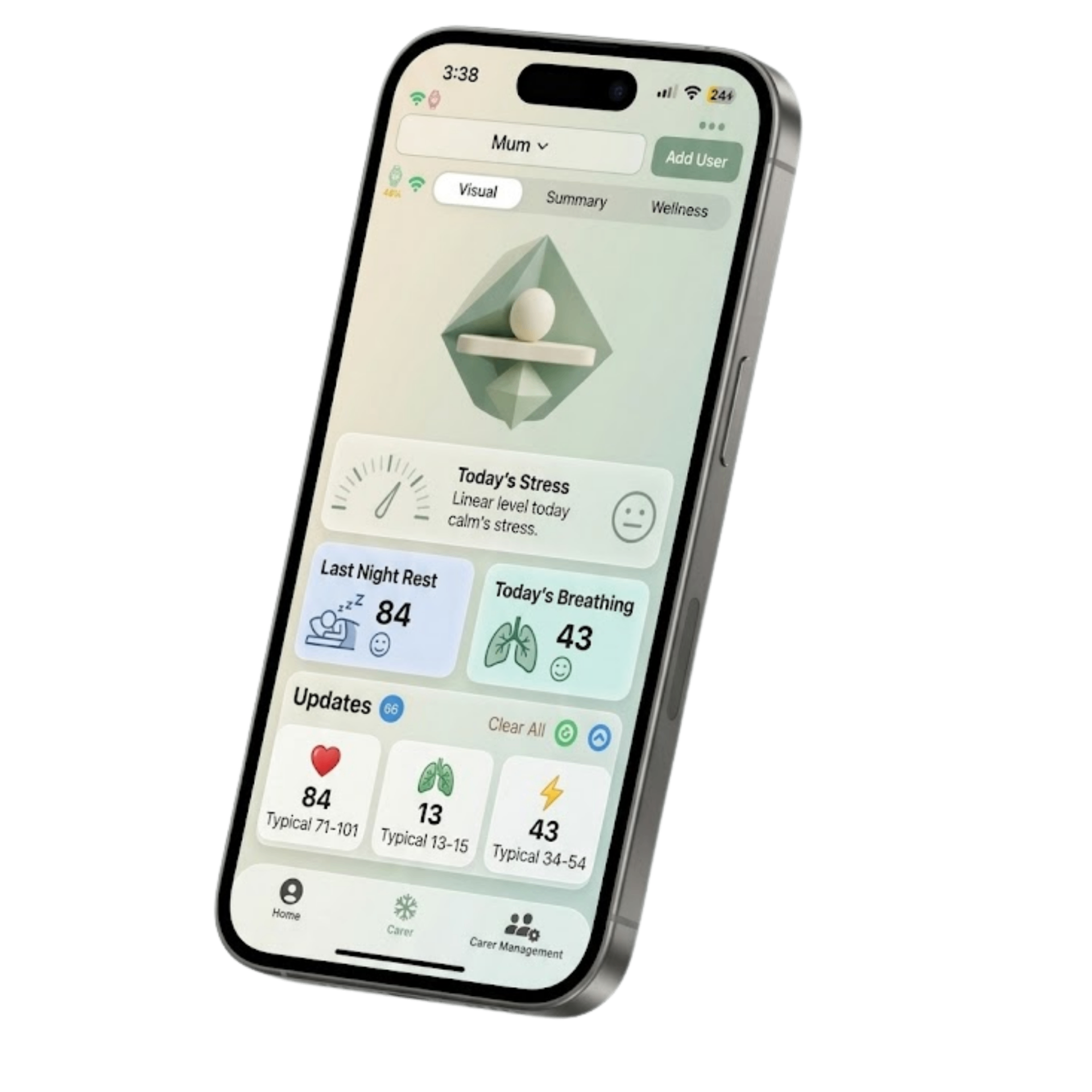
This image gives you a simple visual introduction to AiCarer before you move into the individual screens.
Ayla: The Voice Companion Layer
Ayla is the part of AiCarer that works through scheduled or manually started phone calls. She is especially useful when the person being cared for is less comfortable with apps, touchscreens, or frequent tapping in the app.
In short, Ayla does four things:
- Calls at scheduled times.
- Asks structured wellbeing questions.
- Records the answers and the call outcome.
- Sends a summary back to the carer.
This makes Ayla the conversational layer of the platform. She turns a check-in into something more structured than an ordinary phone call, while still feeling easy and familiar for the person being cared for.
AiCarer Complete: The Monitoring Layer
AiCarer Complete adds the wearable and the dashboard on top of Ayla's calls and summaries. This is where AiCarer becomes an ongoing wellbeing picture rather than only a scheduled check-in.
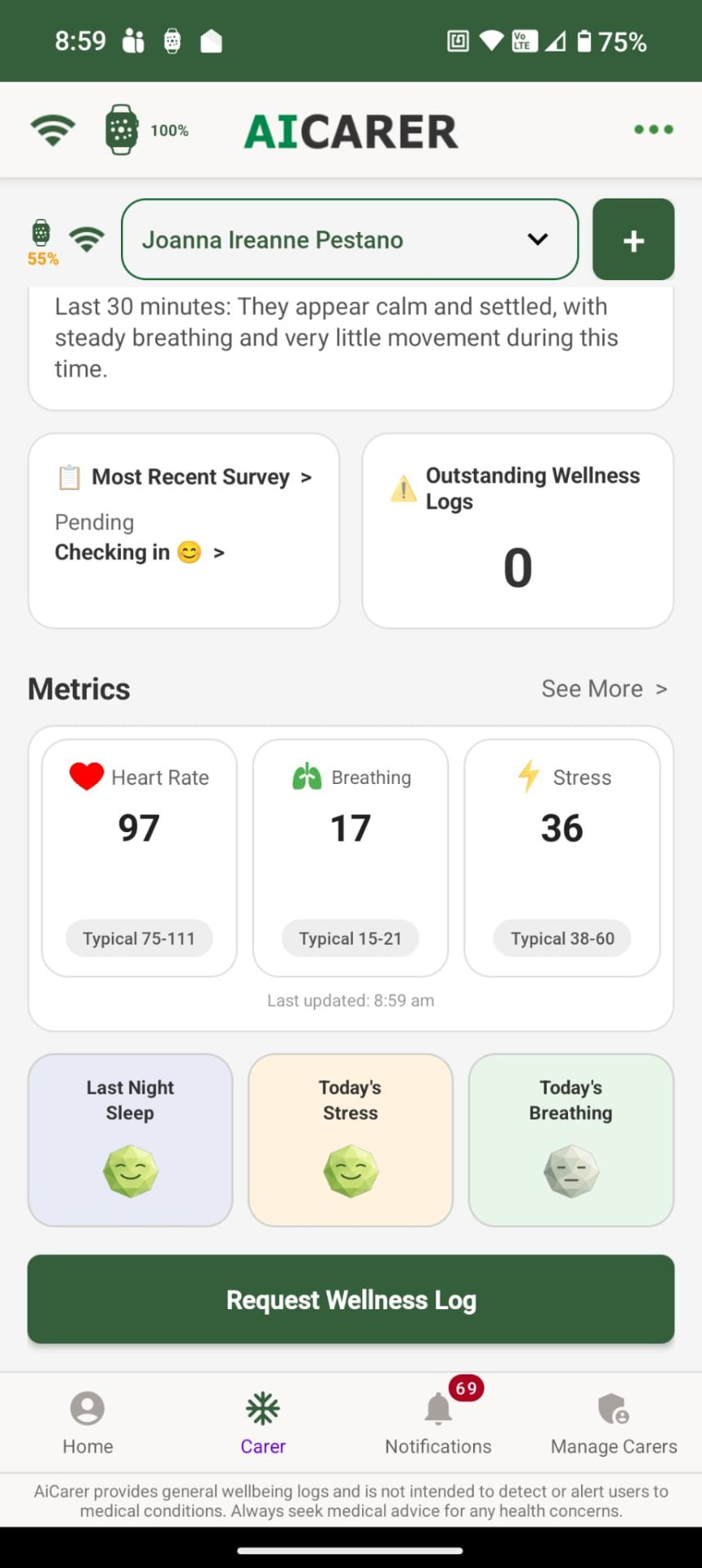
The dashboard shows the broad structure of what a carer sees:
- A summary area at the top.
- Survey and wellness cards.
- Current readings such as heart rate, breathing, and stress.
- Daily summaries such as sleep, stress, and breathing.
- Quick actions, such as requesting a wellness log.
- Navigation at the bottom for moving between the main areas of the app.
What the Main Areas Are For
Home or Dashboard
This is the first place most carers will look. It is the summary screen for overall wellbeing, connection status, anything needing attention, and quick actions.
Wellness
This is where wellness logs, reports, and trends come together. It is the place to look when you want the fuller picture, not just a notification.
Notifications
This is where app activity appears, such as wellness log updates, carer invitations, and anything else that needs attention.
Calls or Ayla
This is where scheduled calls, call results, and voice check-ins live.
Manage Carers
This is where you invite carers, see who is connected, and manage the shared care network.
Some screenshots use the labels shown in the app, while the headings in this guide use plain feature names. Together, they help you understand both where to look and what each area is for.
Ayla and AiCarer Complete
A simple way to understand the difference is this:
- Ayla helps the person being cared for talk.
- AiCarer Complete helps AiCarer observe.
Together, they give carers both a direct conversation and quiet, everyday wellbeing signals.
The next chapter looks at the conversation side in detail: how Ayla's voice check-ins are scheduled, what the person being cared for hears, and what the carer receives afterwards.